


Last month, I saw an iPhone 13 shut down at 30% during a simple video call. No warning, just gone. The first reaction was panic. The second? “Time to buy a new phone.” It wasn’t.
In most cases, the issue comes down to battery wear, not the device itself. And fixing it is usually far cheaper than upgrading. If you’re trying to figure out how much does iPhone battery replacement cost, the answer depends on your model, battery health, and where you get it repaired.
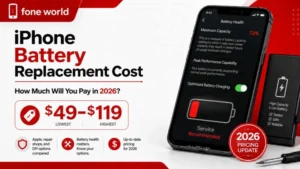
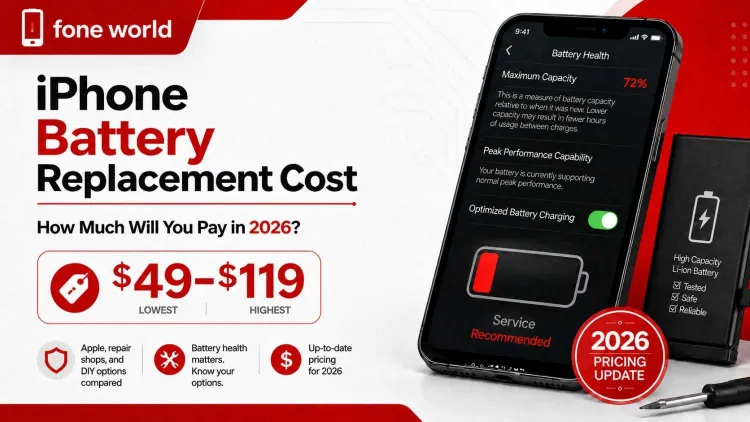
In 2026, most users end up paying anywhere between $49 and $119. Newer models like iPhone 15 or 16 sit at the higher end, while older ones cost less. Apple, third-party repair shops, and DIY options all price it differently, and that’s where most people overpay.
iPhone Battery Draining Fast? Here’s What It Might Cost You
If your iPhone starts dropping faster than it used to, or cuts off around 20–30%, something’s off. Most people assume it’s apps or updates, but in many cases, it comes back to the battery itself.
At that point, people start looking into the actual repair cost. There isn’t one fixed price. It depends on the model and who you trust with the repair. The price matters, but not on its own. What you get for it, reliability, proper setup, and how the phone behaves after, matters more.
How Much Does iPhone Battery Replacement Cost in 2026?
The price changes depending on where you go. It’s less about chasing the lowest number and more about understanding what each option actually gives you.
Apple Official Battery Replacement Prices
Apple keeps things fairly consistent across models.
- iPhone 16 / 15 / 14 / 13 → around $99–$119
- iPhone 12 and earlier → around $69–$89
- iPhone SE → usually lower
If you have AppleCare+, the price can drop when battery capacity falls below 80%. What you’re paying for here is more than just the battery. You get original parts, proper calibration, and support if anything feels off after.
Third-Party Repair Cost Comparison
Independent repair shops usually sit in the middle.
- US: roughly $50–$90
- UK/EU: around £40–£70 / €45–€80
- Pakistan: often $30–$60
The difference comes down to the parts used and the person doing the work. Some shops use solid components and stand behind them. Others, not so much. If you go this route, the shop matters more than the price.
DIY Battery Replacement Cost Breakdown
Doing it yourself is the cheapest option.
- iFixit kits: around $35–$55
- battery-only options: $15–$30
- tools (if needed): a few extra dollars
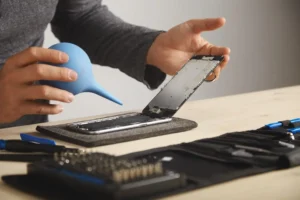
On paper, it looks simple. In reality, newer iPhones are tightly sealed. One slip while opening the phone or disconnecting a cable can turn a small job into something bigger. It works best if you’ve handled similar repairs before.
What Affects iPhone Battery Replacement Cost?
It’s not just the phone that affects the price. A few practical factors shift it up or down, the model you own, where you get it fixed, and whether you’re covered. Once you look at these, the numbers make more sense.
iPhone Model and Battery Size
Larger models like the iPhone 15 Pro Max or 16 Pro Max use bigger lithium-ion batteries and are slightly more involved to open and reseal. Some shops price those a bit higher. Older models, iPhone 8 to 12 and the SE range, are generally simpler to work on. Parts are easier to source, which can keep the cost lower.
Location and Service Provider
Where you go in the UK makes a difference. High-street repairs in cities like London or Manchester tend to cost more than smaller independent shops. Apple Store pricing is consistent, while an Apple Authorised Service Provider or a local repair shop can vary based on parts quality and labour.
Mail-in services are another option, but once you add postage and handling, the final price can creep up. That’s where overall cost and iPhone battery replacement time often get overlooked together.
Warranty and AppleCare+ Coverage
Apple usually includes a short iPhone battery replacement warranty, which adds peace of mind after the repair. With AppleCare+, battery service is usually a low fixed fee when battery health drops below 80%. Without it, you’ll pay the standard out-of-warranty price. The standard one-year warranty is different, it covers faults, not normal wear from charge cycles and ageing. It’s worth checking your coverage before booking anything.
Apple vs Third-Party vs DIY: Which Option Is Better?
If you’re comparing options, the decision isn’t just about price. It’s about what you get after the repair, stability, warranty, and whether the phone still feels “right” to use. Many users still ask how much does Apple charge for battery replacement, especially for newer iPhone models.
Here’s how the three options usually compare:
| Feature | Apple | Third-Party | DIY |
| Cost | £69–£119 | £40–£90 | £20–£55 |
| Warranty | ~90 days | 30 days–1 year | None |
| Water resistance | Restored | Not guaranteed | Lost |
| Battery data (iOS) | Fully supported | Usually OK | May show “Unknown Part” |
| Risk level | Low | Medium | High |
Apple (Safe but Expensive)
Going through an Apple Store or Apple Authorised Service Provider is the most predictable option. Apple also runs diagnostics before replacing anything, so you know the battery is actually the issue.
You’re getting:
- genuine parts
- proper calibration with iOS battery health tracking
- support under AppleCare+ if it applies
Turnaround is usually same-day if booked in advance, which helps if you rely on your phone for work or travel. If you’re asking how much does iPhone battery replacement cost, Apple will almost always sit at the higher end, but it’s the least risky route.
Third-Party (Balanced Option)
This is where most people end up. A good third-party repair shop can do the job for less while still giving you a decent result. In many UK cities, same-day service is common.
- lower cost than Apple
- flexible options depending on the shop
- reasonable warranty in most cases
The trade-off is consistency. Some shops use high-quality compatible batteries, others don’t. Reviews and reputation matter more than price here.
DIY (Cheapest but Risky)
The DIY route looks simple on paper and cheap. Using kits from iFixit, many people try to handle it themselves. That’s where iPhone battery replacement cost DIY comes into play.
- lowest upfront cost
- full control over parts and process
But the risks are real:
- damaging internal cables or display
- affecting water resistance
- triggering battery warnings in iOS
It works if you’ve handled small electronics before. If not, it can quickly turn into a bigger repair than expected.
Is iPhone Battery Replacement Worth It or Not?
This is usually where people stop and think. The phone still works, but not the way it used to. So the real question becomes, fix it, or move on? If you’re asking is iPhone battery replacement worth it, it usually comes down to how the phone performs day to day, not just the number in settings.
When Replacement Makes Sense
Battery replacement makes sense when the phone is still doing everything you need, just not lasting long enough.
- battery health percentage has dropped below 80%
- you see “Service” in Settings > Battery > Battery Health
- the phone shuts down unexpectedly around 20–30%
- daily usage feels shorter than it used to (screen-on time drop)
- overall performance is still fine
In these cases, replacing the battery is often enough to stabilise the phone for another year or two. No need to change the device if everything else still works.
When You Should Upgrade Instead
Sometimes the battery isn’t the only issue.
- the device is 5+ years old (older models like iPhone X or earlier)
- there are other faults, screen, camera, or internal damage
- performance already feels slow even on basic tasks
- you’re planning to move to newer features (like improved cameras or USB-C)
This is where the iPhone battery replacement vs new phone decision becomes clearer. If the repair doesn’t actually improve your day-to-day use, it’s probably not worth it.
How to Check If Your iPhone Battery Needs Replacement
Before thinking about cost, you need to be sure the battery is actually the problem. Most of the time, the signs are already there, you just need to check them properly. Sometimes it’s not just wear, things like battery calibration or voltage instability can also affect behaviour.
Checking Battery Health in Settings
Start with the built-in check.
Go to Settings > Battery > Battery Health & Charging and look at two things:
- Maximum Capacity — if it’s around 80% or lower, the battery isn’t holding charge the way it should
- Peak Performance Capability — if you see a warning about degraded performance, the system is already limiting the phone to prevent shutdowns
This is Apple’s own way of telling you the battery is no longer stable. Sometimes it’s not just wear things, like battery calibration or voltage instability can also affect behaviour.
Signs Beyond Battery Percentage
Numbers don’t always tell the full story. Sometimes the behaviour gives it away faster.
Watch for:
- the phone shutting down suddenly, even with charge left
- the screen lifting slightly on one side (battery swelling)
- the device getting warm during normal use (overheating)
- a noticeable drop in daily usage (screen-on time)
If you’re seeing a mix of these, it usually lines up with iPhone battery health replacement being the next step rather than tweaking settings or apps.
How Long Does iPhone Battery Replacement Take?
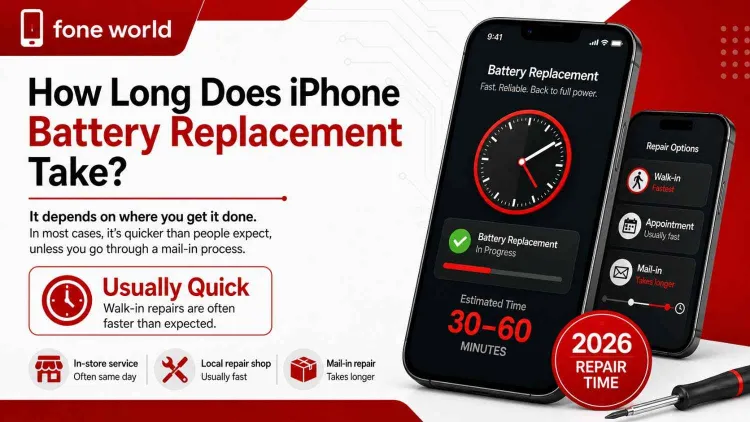
How long it takes really comes down to where you get it done. In most cases, it’s quicker than people expect, unless you go through a mail-in process.
Apple Store Timeline
At an Apple Store or Apple Authorised Service Provider, the actual repair doesn’t take long. The wait around it usually does.
- booked appointment → a couple of hours in total
- walk-in → can stretch longer depending on queue
- mail-in → several days once shipping is involved
So when people ask how long does iPhone battery replacement take, Apple is usually the slower option overall, even if the repair itself is straightforward.
Third-Party Repair Time
Most third-party repair shops move faster.
- many offer same-day service
- some finish it while you wait
- others ask you to come back later in the day
If the shop isn’t busy, it’s often the quickest way to get the phone back up and running.
DIY Time Expectation
DIY takes longer the first time.
- first attempt → around an hour or more
- after that → noticeably quicker
Using kits from iFixit, the process is manageable, but newer iPhones are tightly packed. Opening them carefully takes patience, especially around the screen and connectors.
Is iPhone Battery Replacement Safe?
Cost matters, but safety matters more. A worn lithium-ion battery can affect the device, your data, and in rare cases, your safety if it’s left too long.
Battery Swelling and Fire Risk
A failing battery doesn’t always fail quietly.
Watch for:
- the screen lifting slightly (battery swelling)
- unusual heat during normal use (overheating)
- a faint chemical or burning smell
If any of these show up, don’t try to open the phone yourself. Take it to an Apple Store or an Apple Authorised Service Provider. That’s where the risk is handled properly.
Warranty and Data Safety
Where you repair the phone affects both warranty and trust. With AppleCare+, the process is straightforward and usually includes a short iPhone battery replacement warranty, which you’ve already added. That gives some reassurance if anything feels off after. Going through a third-party repair shop or DIY route can void parts of Apple’s coverage. Not always a problem, but something to be aware of.
Before any repair:
- back up your data to iCloud
- remove sensitive access (like Find My) if needed
This is also where people start asking: should I replace battery or buy new iPhone. If safety risks are already visible, waiting usually isn’t worth it.
Hidden Costs Most People Don’t Consider
That first price you see usually isn’t the full picture. This is where iPhone battery replacement price can quietly climb.
Small Charges That Add Up
A few extras often get missed:
- diagnostics fee if you don’t go ahead with the repair
- postage on mail-in services
- small parts like adhesive or screws during reassembly
None of these look big on their own, but together they change the total.
When One Repair Turns Into Two
This is where things get expensive.
If the phone already has:
- cracked glass
- signs of water exposure
- or a weakened frame
a simple battery swap might not be enough. Shops may refuse the repair or suggest fixing those first. That’s where the real comparison, Apple vs third-party battery replacement cost, starts to matter, not just the base price.
What Happens If You Don’t Replace a Bad Battery?
Leaving it too long usually makes things worse, not cheaper.
You’ll start noticing:
- random shutdowns, even with charge left
- slower response because of battery throttling in iOS
- heat during normal use
- in some cases, battery swelling pushing against the screen
At that stage, it’s no longer just about performance. The phone becomes unreliable. In worst cases, it can turn into a safety issue. That’s where people realise the iPhone battery replacement cost Apple charges is still far lower than replacing the whole device later.
Quick Battery Check Before You Decide
Before spending anything, take a minute and check it properly.
- go to Settings > Battery > Battery Health & Charging
- check Maximum Capacity
- look at Peak Performance Capability
Then match it with real usage:
- above ~85% → battery is still holding up
- around 80% → performance usually starts to dip
- below 80% → replacement is usually the right move
If you’re unsure, track your screen-on time for a couple of days. A sudden drop tells you more than the percentage alone.
Final Decision: Replace or Upgrade?
If your iPhone still runs fine and it’s just the battery letting you down, that’s usually enough to keep it going. A fresh battery often brings back stable performance without spending on a new device. If the phone already feels slow, lacks storage, or has other faults, upgrading makes more sense. That’s where it comes down to should I replace battery or buy new iPhone, fix it if it still works for you, replace it if it doesn’t.