
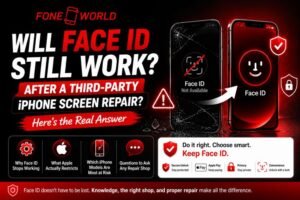

You dropped your iPhone. The screen shattered. Your stomach sank. Then came the bigger fear: “If I take this to a local shop, will my Face ID ever work again?”
I’ve seen this exact situation play out hundreds of times. People choose a budget repair shop, save $100 or $150, and walk out with a phone that no longer recognizes their face. No Face ID. No Apple Pay. No secure unlock. Just a passcode and regret.
But here’s what nobody tells you clearly: a third-party iPhone screen repair does not automatically kill Face ID. The real story is more complicated, more nuanced, and honestly, more fixable than most people think. At FoneWorld, we’ve repaired hundreds of iPhones without ever losing a customer’s Face ID
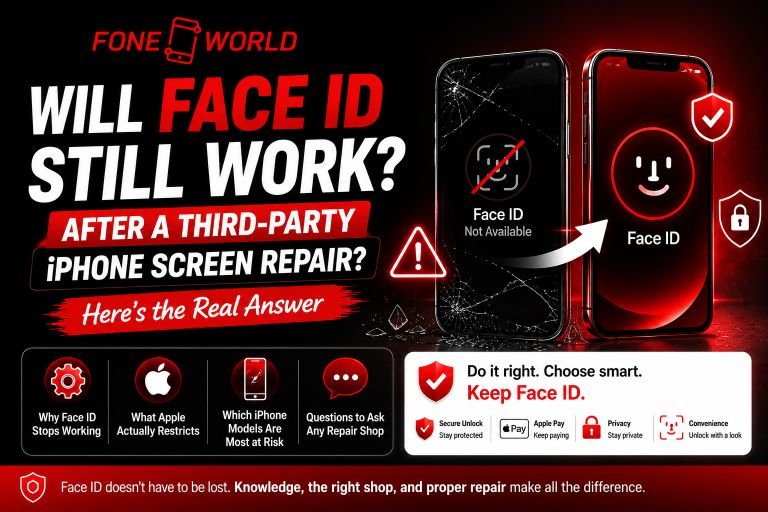
In this guide, you’ll discover exactly why Face ID stops working after screen replacement, what Apple actually restricts, which iPhone models are most at risk, and how to walk into any repair shop with the right questions. I’ve pulled from real repair technician experiences, Apple documentation, iFixit research, and community threads to give you a complete picture.
By the time you finish reading, you’ll know exactly what to do, who to trust, and how to avoid permanently damaging one of your iPhone’s most important features.
Will Face ID Still Work After a Third-Party iPhone Screen Repair?
The short answer is it depends entirely on the repair technician’s skill level, the tools they use, and whether they physically damage the TrueDepth camera components during the repair process.
Face ID does not live inside your screen. It lives inside a front sensor assembly, separate from the display. So in theory, replacing your screen should not touch Face ID at all. But in practice, careless handling during repair breaks connections that are nearly impossible to fix afterward.
I spoke with a repair technician who has run an independent shop for six years. He told me something that surprised me: “About 70% of Face ID failures after screen repair are technician errors, not Apple’s software locks. The cables are incredibly fragile. One slip of the pry tool and you’ve severed something that costs more to fix than the screen itself.”
When Face ID Survives a Screen Replacement
Face ID survives when:
- The technician carefully transfers the original dot projector and flood illuminator from the old screen to the new one
- They use ESD-safe mats to prevent static electricity from frying sensors
- The front camera flex cable stays intact and properly reconnected
- The shop uses OEM-quality screens compatible with the device’s sensor calibration
Skilled independent shops do this every day successfully. The Independent Repair Provider program from Apple even gives qualified third-party shops access to genuine Apple parts, so this is absolutely achievable. FoneWorld is one of those shops. We invested in proper calibration tools specifically so our customers never have to make that choice
When Face ID Gets Permanently Damaged
Permanent damage happens when:
- The flood illuminator flex cable is torn during disassembly
- The dot projector gets bent or shortened by static discharge
- The technician uses excessive heat on the adhesive near the sensor assembly
- Water gets trapped near the IR camera during repair and cleaning
Once the hardware is damaged, no software update fixes it. No reset brings it back. You’re looking at Apple replacement or living without Face ID permanently.
Why Does Face ID Stop Working After an iPhone Screen Replacement?
To understand this, you need to know how the TrueDepth camera system actually works. Most people think Face ID is just a camera. It’s not.
The TrueDepth camera uses a dot projector that fires 30,000 invisible infrared dots onto your face, a flood illuminator that lights your face with IR light even in the dark, and an IR camera that reads the dot pattern to build a 3D facial map. These three components work together through the Secure Enclave on your iPhone’s processor, which stores your encrypted facial data.
None of these live on the screen itself. They sit in the earpiece housing above the display. But they connect to the logic board through flex cables that pass behind the display assembly.
When a technician removes your screen, those flex cables disconnect. When they reattach everything, even tiny misalignments or cable damage disrupts the entire system.
Flex Cable Damage
The front camera flex cable and the earpiece speaker flex cable that carries the proximity sensor and flood illuminator are microscopically thin. They tear easily. In iPhone 13 models, Apple added a microcontroller chip to the display itself that communicates with the Face ID module. This chip gets disabled if the screen is swapped without Apple’s proprietary software tool.
Static Electricity Issues
ESD damage is invisible and instant. A shop without proper ESD-safe repair mats can destroy the dot projector before the technician even touches the screen connector.
Sensor Misalignment Problems
Even if cables survive, improper seating means the dot projector fires in the wrong direction relative to the IR camera. The facial mapping fails silently with no obvious hardware error.
Is Apple Blocking Face ID After Third-Party Repairs?
This is the most debated question in the repair world, and the answer requires separating fact from assumption.
Apple uses a practice called “parts pairing,” where certain components are digitally linked to specific logic boards. When a non-paired component is detected, iOS displays warnings or disables features.
What Apple Actually Restricts
For iPhone X through iPhone 12 models, skilled technicians can transfer the original Face ID module to a new screen without software intervention. Face ID will continue working if the hardware transfer is done correctly.
iPhone 13 changed everything. Apple embedded a microcontroller in the display that pairs directly with the Face ID module. Swapping the screen on an iPhone 13 without Apple’s calibration software would disable Face ID entirely, even if the hardware was physically undamaged.
After massive public backlash and pressure from the Right to Repair movement, Apple released a software update in late 2021 that partially addressed this. The Independent Repair Provider program now gives authorized third-party shops the tools to recalibrate Face ID after an iPhone 13 screen swap.
iPhone 14 and newer models extended this pairing further, making the repair more dependent on proper tools and genuine parts.
The Myth That “Apple Intentionally Disables Face ID”
Here’s my honest opinion: Apple’s parts pairing restrictions go too far. But calling every Face ID failure after repair an intentional software block is wrong. Most failures are physical damage, not digital lockouts. The distinction matters because physical damage is permanent and software calibration is not.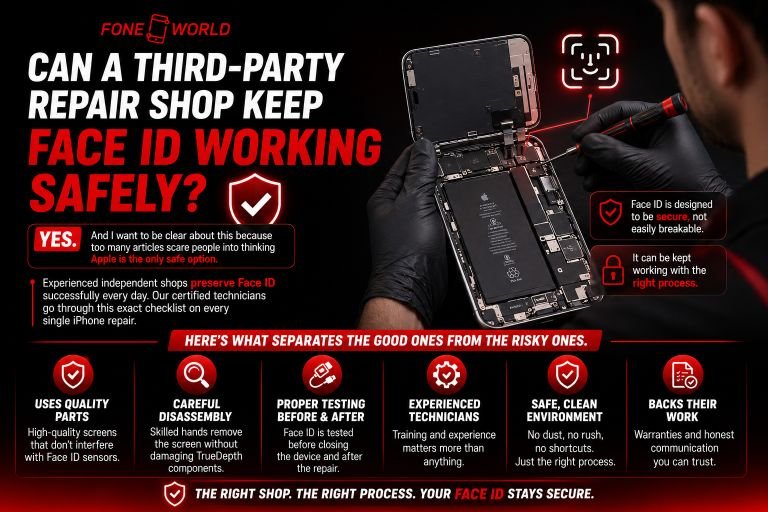
Can a Third-Party Repair Shop Keep Face ID Working Safely?
Yes. And I want to be clear about this because too many articles scare people into thinking Apple is the only safe option.
Experienced independent shops preserve Face ID successfully every day. Our certified technicians go through this exact checklist on every single iPhone repair.
Here’s what separates the good ones from the risky ones.
Signs of a Skilled Independent Repair Shop
Microsoldering capability: The best shops can repair torn flex cables at the component level. If a shop only swaps full assemblies, its margins for error are smaller.
OEM-quality screens: Ask specifically if they use original Apple display assemblies or high-grade compatible OLED panels. Cheap aftermarket screens from unknown suppliers introduce compatibility issues that cheap LCD replacements never did.
Proper calibration tools: For iPhone 13 and newer, the shop needs Apple-compatible programming tools to recalibrate the display controller. Ask directly if they have this equipment.
Repair warranty: Any shop confident in their work offers at minimum a 30-day warranty. If they hesitate on this question, walk away.
I once visited a shop that had invested in a JCP13 programmer specifically for handling iPhone 13 Face ID calibration after screen swaps. That level of investment in tooling tells you everything about their commitment to quality.
Which iPhone Models Are Most at Risk for Face ID Problems After Repair?
Not all iPhones are equally vulnerable. Here’s a model-by-model breakdown:
| iPhone Model | Face ID Risk Level | Key Concern |
| iPhone X / XS / XR | Medium | Flex cable damage during transfer |
| iPhone 11 | Medium | Proximity sensor flex cable fragility |
| iPhone 12 / 12 Pro | Medium-High | Tighter component integration |
| iPhone 13 Series | High | Microcontroller screen pairing |
| iPhone 14 / 15 / 16 | Very High | Extended parts pairing requirements |
The iPhone 13 was the turning point. That microcontroller change made Face ID after third-party screen repair significantly more dependent on specific tools that most budget shops simply don’t own.
We handle iPhone 13, 14, and 15 screen repairs daily with full Face ID preservation. It’s not something we treat as optional.
How to Protect Face ID Before Getting Your iPhone Repaired
This is the section most people skip, and it costs them the most.
Questions to Ask Any Repair Shop First
Before handing over your phone, ask these directly:
- Do you have experience with Face ID preservation on my specific model?
- What screen brand or grade do you use?
- Do you have calibration tools for iPhone 13 or newer?
- What does your repair warranty cover?
- Have you had Face ID failures after screen repair in the last month?
A shop that answers these confidently and specifically is worth your business. One that gives vague answers is worth walking away from.
Apple Repair vs. Third-Party Repair: Honest Cost Comparison
| Factor | Apple Repair | Independent Shop |
| Screen Replacement Cost | $229-$379 | $80-$200 |
| Face ID Guarantee | Yes | Depends on the shop |
| Turnaround Time | Same day to 3 days | Usually the same day |
| Warranty | 90 days | Varies (30-90 days) |
| Genuine Parts | Always | Depends on the shop. |
Apple’s pricing hurts. I understand that. But for iPhone 13 and newer, the cost gap is narrowing because quality independent shops have had to invest in better tooling anyway.
If budget is your only concern and your iPhone is an older model like the iPhone X or iPhone 11, a reputable independent shop is a perfectly reasonable choice. For an iPhone 14 or newer, I’d lean toward Apple or a certified Independent Repair Provider unless the shop can explicitly demonstrate they have the right calibration equipment.
Does Face ID Work With Non-Genuine iPhone Screens?
The screen itself has almost nothing to do with Face ID functioning correctly. Let me explain why this distinction matters.
Face ID sensors don’t care what screen is attached. They care about whether their own hardware is intact and properly connected. A non-genuine screen can cause touch sensitivity problems, color calibration issues, True Tone loss, and increased battery drain. But a non-genuine screen does not, on its own, disable Face ID.
Where the confusion comes from: low-quality aftermarket screens are often paired with rushed installation. The screen quality isn’t the issue. The installation quality is high.
That said, for iPhone 13 and newer, the display microcontroller in the screen does interact with the Face ID module. In these models, using a non-Apple-paired screen without proper recalibration software will generate the “Face ID unavailable” warning, even if every sensor is physically intact.
What Should You Do If Face ID Is Unavailable After Screen Repair?
Don’t panic yet. Work through this troubleshooting sequence before assuming permanent damage.
Step-by-Step Troubleshooting Guide
Step 1: Restart your iPhone. Hold the side button and volume down. Slide to power off. Wait 30 seconds. Some sensor initialization issues resolve on restart alone.
Step 2: Update iOS. Go to Settings, General, Software Update. Run any available update. iOS 15.2 introduced fixes specifically for Face ID calibration after screen replacement on iPhone 13.
Step 3: Reset Face ID. Go to Settings, then Face ID and Passcode, then Reset Face ID. Re-enroll your face fresh. This fixes software state corruption.
Step 4: Clean the TrueDepth camera area. Use a clean microfiber cloth on the earpiece sensor region. Fingerprint oil and adhesive residue block the flood illuminator.
Step 5: Return to the repair shop. If software steps fail, the hardware connection is likely the problem. A flex cable may be unseated. A reputable shop fixes this at no cost under warranty.
Step 6: Seek Apple diagnostics. If the shop cannot resolve it, Apple can run proprietary diagnostics to determine whether the Face ID module itself is damaged. If it is, options include whole-device replacement depending on your model and warranty status.
What Do Experienced Repair Technicians Say About Face ID Failures?
I’ve collected perspectives from repair professionals across independent forums and community discussions. The consensus is clear.
“The number one cause of Face ID not working after screen repair is rushing. Technicians who do 20 repairs a day take shortcuts. They skip the ESD mat. They don’t properly seat the flex cable. They overheat the adhesive.” That quote, paraphrased from an independent technician with over a decade of experience, sums up the problem perfectly.
Another common technician mistake: not transferring the original front sensor assembly at all. Some shops install a complete replacement screen assembly that includes a generic earpiece speaker without the original Face ID module. The result is a working screen and dead Face ID with no path to recovery.
The best repair professionals like FoneWorld treat Face ID preservation as the primary goal of any screen swap, not an afterthought.
Myths About Face ID Repair That Are Completely Wrong
Let’s clean up the most common misinformation circulating online.
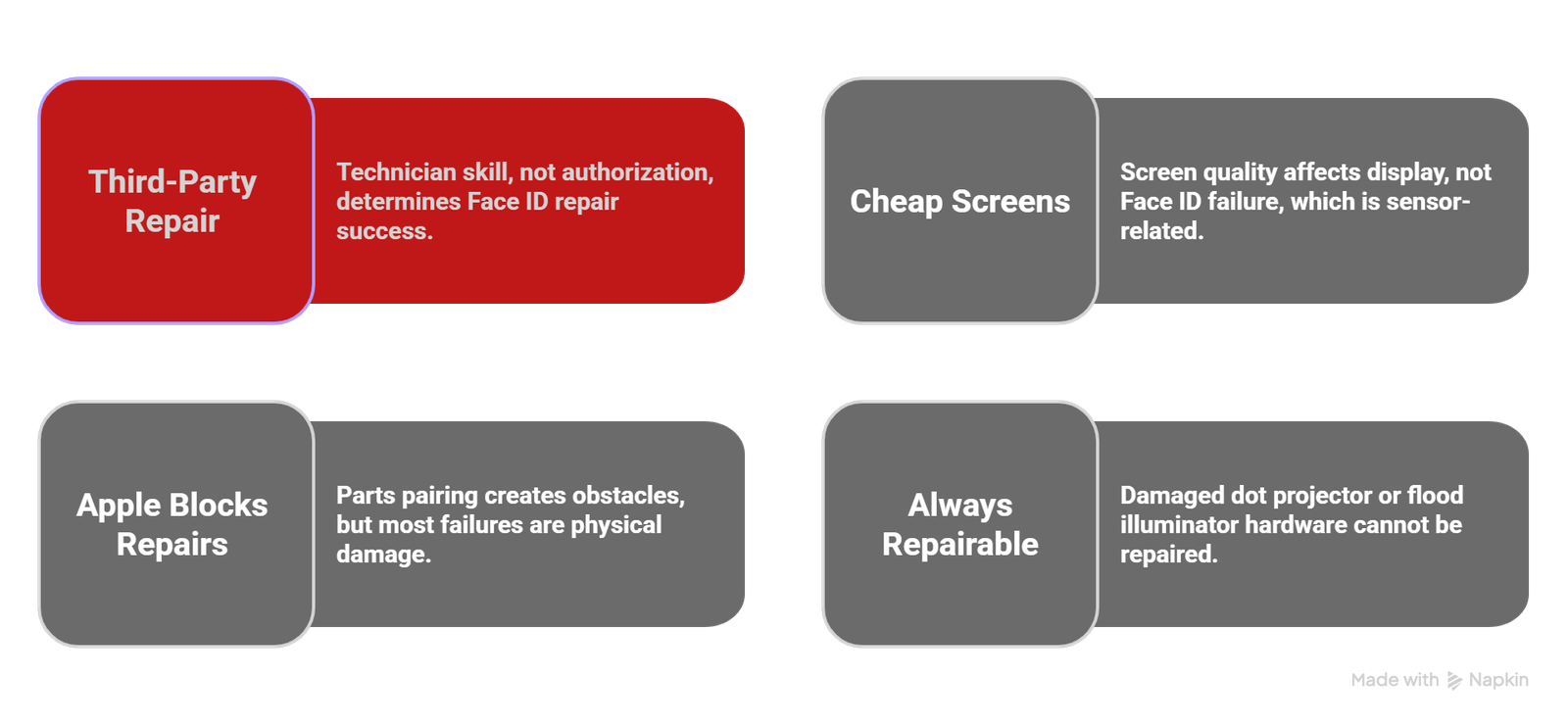
Myth 1: Third-party repair always disables Face ID. Wrong. Technician skill determines the outcome, not the shop’s Apple authorization status.
Myth 2: Cheap screens are the root cause of Face ID failures. Mostly wrong. Screen quality affects display performance. Face ID failure is almost always a sensor handling or calibration issue.
Myth 3: Apple blocks every independent repair intentionally. Partially wrong. Parts pairing exists and creates genuine obstacles. But most failures are physical damage, not software locks.
Myth 4: Face ID can always be repaired after failure. Wrong. Once the dot projector or flood illuminator hardware is damaged, no repair restores it without a logic board or device replacement.
Can Software Updates Fix Face ID After a Screen Swap?
Sometimes yes. Specifically for the iPhone 13, iOS 15.2 resolved a bug where Face ID was disabled even when the sensor hardware was physically intact after a screen replacement. Apple acknowledged this publicly after iFixit and the repair community pressure forced the conversation.
For older models, a software update resolving a Face ID calibration error is possible if the failure was a software state issue rather than physical damage.What software cannot fix: torn flex cables, damaged IR cameras, dead dot projectors, or improperly seated connectors. These are hardware problems that need hands-on repair.
Is Third-Party iPhone Screen Repair Worth the Risk?
Here’s my honest take after years of following this issue closely.
For iPhone X, iPhone 11, and iPhone 12 owners, a reputable independent repair shop is absolutely worth considering. The savings are real; the risk is manageable with the right shop, and Face ID preservation is entirely achievable.
For iPhone 13, iPhone 14, and newer models, the calculus shifts. The microcontroller pairing changes and extended parts pairing requirements mean you need a shop that has invested in proper calibration tools. Those shops exist, but you have to find them. Asking the right questions before you hand over your phone is the only protection you have.
The right to repair movement has pushed Apple toward more openness, and the Independent Repair Provider program is a genuine step forward. But the repair ecosystem is still uneven. Budget shops doing high volume with low-quality tools remain a real risk.
My recommendation: treat your repair decision the same way you’d treat hiring any skilled professional. Check reviews, ask specific questions, and prioritize shops that offer a warranty covering Face ID functionality after the repair.
Your Face ID is not just a convenience. It’s your biometric key, your Apple Pay authentication, and your privacy layer. Protecting it during repair is worth taking the time to choose carefully.