



Your phone isn’t lasting the way it used to. You charge it in the morning, and by afternoon it’s already struggling. Sometimes it even shuts down before it hits zero. That usually means one thing , the battery is worn out. Most people just go and buy a new phone. Feels like the obvious thing to do. But a lot of the time, it’s just the battery. A simple phone battery replacement can fix it and give you another year or two without spending hundreds. Before you upgrade, just stop for a second. Make sure you’re fixing the actual problem.
Executive Summary
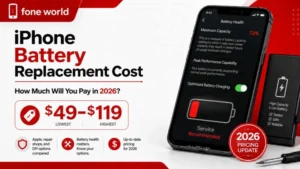
Battery replacement usually costs somewhere between $20 and $100. Depends on the phone and where you get it done. You’ve got a few options. DIY, a repair shop, or official service. Each comes with trade-offs. If the phone still works fine, replacing the battery is usually the cheaper and more practical move. If it doesn’t, then upgrading probably makes more sense.
How Do You Know It’s Time to Replace Your Phone Battery?
Most people don’t notice it early. It doesn’t fail suddenly. It just gets worse little by little. You adjust to it without thinking much, until it starts getting annoying. By that point, you’re already late.
Signs Your Battery Is Wearing Out
It’s not just fast drain. That’s obvious. The early signs are usually smaller:
- Phone turns off at 20–30%
- Battery drops quicker than it used to, even with light use
- It feels slightly warm doing normal things
- Charging takes longer than before
- Apps feel slower, even though nothing changed
Check Battery Health First (Don’t Guess)
Before you search for a battery replacement near me, just check the battery health. Takes a minute.
- iPhone → Settings → Battery → Battery Health
- Android → depends on the brand, or use apps like AccuBattery
If it’s below 80%, that’s usually where problems start showing up properly.
How Much Does Phone Battery Replacement Really Cost?
Most articles throw a rough number and move on. In reality, the phone battery replacement cost depends on three things: your device, where you get it done, and how much risk you’re willing to take.
Real Cost Breakdown by Device Type
| Device Type | DIY Cost | Third-Party Shop | Official Service |
| iPhone 15 / 15 Pro | $40 – $60 (parts) | $60 – $80 | $99 (AppleCare eligible) |
| iPhone 12 / 13 / 14 | $25 – $50 (parts) | $50 – $70 | $89 – $99 |
| Samsung Galaxy S23/S24 | $20 – $45 (parts) | $50 – $80 | $80 – $100 |
| Google Pixel 7 / 8 | $25 – $45 (parts) | $50 – $75 | $Free under warranty, else $70 |
| Budget Android (sub $300) | $15 – $30 (parts) | $30 – $50 | Often not available |
| Older iPhones (XR, 11) | $20 – $35 (parts) | $40 – $60 | $69 – $89 |
Costs also vary by location. In areas with more repair shops, prices usually drop a bit. Smaller cities tend to be slightly higher.
Should You Replace Your Battery or Just Buy a New Phone?
Usually, most people get stuck because sometimes a battery swap makes perfect sense. Other times, it’s just delaying an upgrade you were going to make anyway. The difference comes down to the condition of your phone, not just the battery.
When Replacement Makes Clear Sense
- Your phone is under 2–3 years old
- It still runs smoothly for everyday use
- No major hardware issues (screen, charging port, etc.)
- You’re generally happy with how it performs
In this case, going for a smartphone battery replacement is usually the cheaper and smarter move. You’re fixing one problem, not replacing the whole device.
When It’s Probably Not Worth It
- The phone is 4–5 years old
- It no longer gets updates
- You’ve already fixed it multiple times
- Other parts are starting to fail too
At that point, even if you replace phone battery, you’re still left with an aging device. The value just isn’t there anymore.
Quick Way to Decide
- Phone still feels “good enough”? → Replace the battery
- Phone already feels outdated? → Start looking for an upgrade
That’s really it. Most people overthink this.
Simple Decision Framework
| Situation | Recommended Action |
| Phone under 2 years, good condition | Replace battery — strong ROI |
| Phone 2 to 3 years, minor issues only | Replace battery — likely worth it |
| Phone 3 to 4 years, some wear | Evaluate repair cost vs phone value |
| Phone 4+ years, multiple issues | Consider upgrading |
| Phone no longer gets updates | Upgrade for security reasons |
What Are Your Battery Replacement Options (And Which One Should You Choose)?
You’ve got a few ways to go about it. The right choice depends on how much you want to spend, and how much risk you’re okay with.
Official Manufacturer Service
Going through Apple Inc., Samsung Electronics, or Google is the safest option. You get original parts. Trained technicians. Usually a short warranty too. It costs more, yeah, but things just work the way they should. No random battery warnings or performance issues later.
Third-Party Repair Shops
Local shops or places like uBreakiFix are usually quicker and cheaper.
Before you decide, just ask:
- What battery are you using?
- Do you offer a warranty?
If they can’t give a straight answer, don’t overthink it, just leave.
DIY Replacement
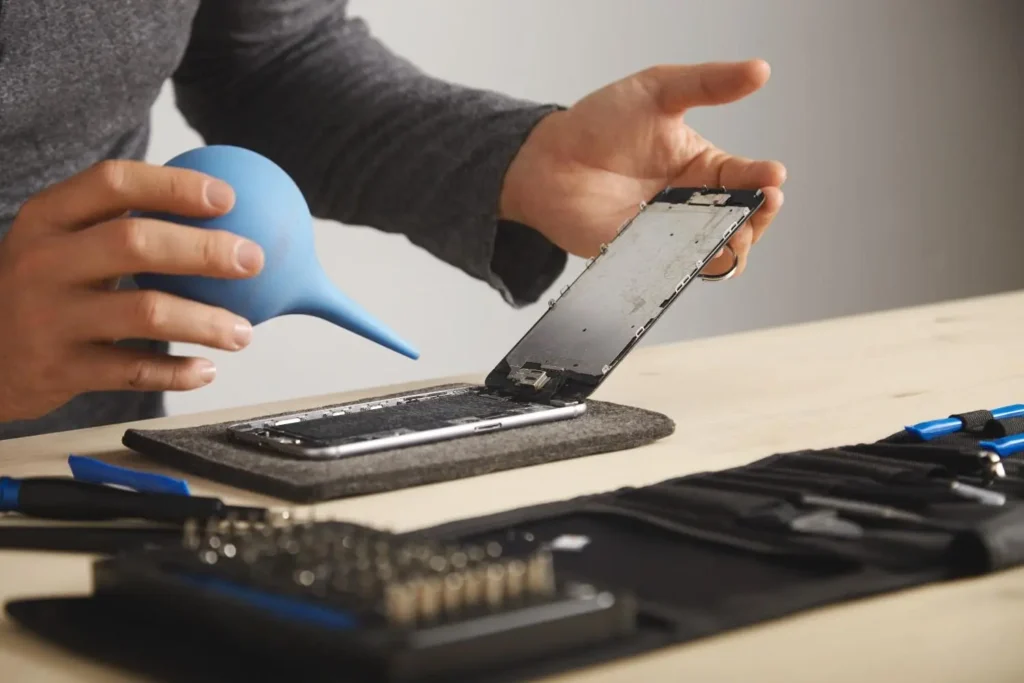
If you’re comfortable opening your phone, this is the cheapest route. Guides and kits from iFixit help a lot, especially with older phones. Still, it’s easy to mess up if you rush. One mistake, and the cost jumps fast. So yeah, DIY works, but only if you actually know what you’re doing.
Mail-In Services
You send your phone in, they fix it, and send it back. It’s simple, but slow. Usually takes a few days. Makes sense if you don’t have time to visit a shop and can manage without your phone for a bit.
| Option | Cost | Quality | Speed | Risk Level |
| Official Service | $70 – $100 | High | Medium | Very Low |
| Repair Shop | $40 – $80 | Varies | Fast | Low to Medium |
| DIY | $20 – $60 | Depends | Fast | Medium to High |
| Mail-In Service | $50 – $90 | Good | Slow | Low |
Can You Replace Your Phone Battery Yourself Safely?
Short answer: yes, but it’s not for everyone.
Some people handle a DIY phone battery replacement without issues. Others damage the screen on the first try. It mostly comes down to patience and how comfortable you are opening a phone. If you rush it, things go wrong fast.
Basic Steps (Simplified)
You don’t need a full manual. Just understand the flow:
- Power off the phone
- Loosen the adhesive with a bit of heat
- Open the back carefully
- Disconnect the battery first (important)
- Remove the old battery and place the new one
- Reassemble and test before sealing
That’s it in theory. In reality, it takes more care than skill.
Tools You’ll Actually Need
Most people underestimate this part.
- Proper screwdrivers (not random household ones)
- Plastic opening tools (not metal)
- Suction cup or heat source
- Tweezers for small connectors
- Fresh adhesive
Kits from iFixit usually cover everything.
Where People Mess It Up
Two mistakes cause most of the damage:
- Pulling too hard near the bottom and snapping the display cable
- Forgetting to disconnect the battery before touching anything else
Both are expensive errors. One slip can turn a simple fix into a full repair job.
So… Should You Do It?
If your phone is older and easier to open, it’s worth trying. If it’s a newer flagship with tight sealing and fragile parts, think twice. In that case, a phone battery repair service is usually the safer option.
OEM vs Aftermarket Batteries: Which One Should You Choose?
People overcomplicate this, but it really comes down to how much risk you’re okay with.
Performance vs Price (What You Actually Get)
OEM batteries, the ones from Apple Inc., Samsung Electronics or Google, are built for that exact phone. Everything just works the way it should. Aftermarket options are a mixed bag. Good ones, like batteries from iFixit or Anker, are usually close enough in daily use.
Where Things Start Going Wrong
Low-quality batteries don’t just lose charge faster, they can behave weirdly. Sudden drops, heating issues, or in some cases, swelling. A battery swelling phone situation isn’t common, but when it happens, it’s a problem you don’t want to deal with.
About Those Cheap Options
That cheap battery online with high ratings? Yeah… not always reliable. Capacity numbers can be exaggerated. Build quality is inconsistent. Sometimes it works fine for a while, sometimes it doesn’t.
So What Should You Go With?
- Want it done right, no thinking → OEM
- Want to save some money but still stay safe → good aftermarket
- Want cheapest possible → just know the risk
That’s really it. No need to overthink it.
Quick Comparison
| Battery Type | Cost | Performance | Safety | Lifespan |
| OEM / Genuine | $$$ (High) | Excellent | Highest | 2–3 years typical |
| iFixit / Anker (quality aftermarket) | $$ (Medium) | Very Good | High | 1.5–2.5 years |
| Unknown brand (cheap) | $ (Low) | Variable / Poor | Low | 6–18 months |
Will Replacing Your Battery Fix Performance or Drain Issues?
Sometimes, yes, but not always.
- If the battery is worn out, replacing it can improve performance and stability. But if your phone is slow because of apps, storage, or software, it won’t change much.
- Battery drain after replacement is usually not the battery. It’s background apps, settings, or updates. Give it a few charge cycles, then check usage. If the issue is still there, the battery wasn’t the real problem.
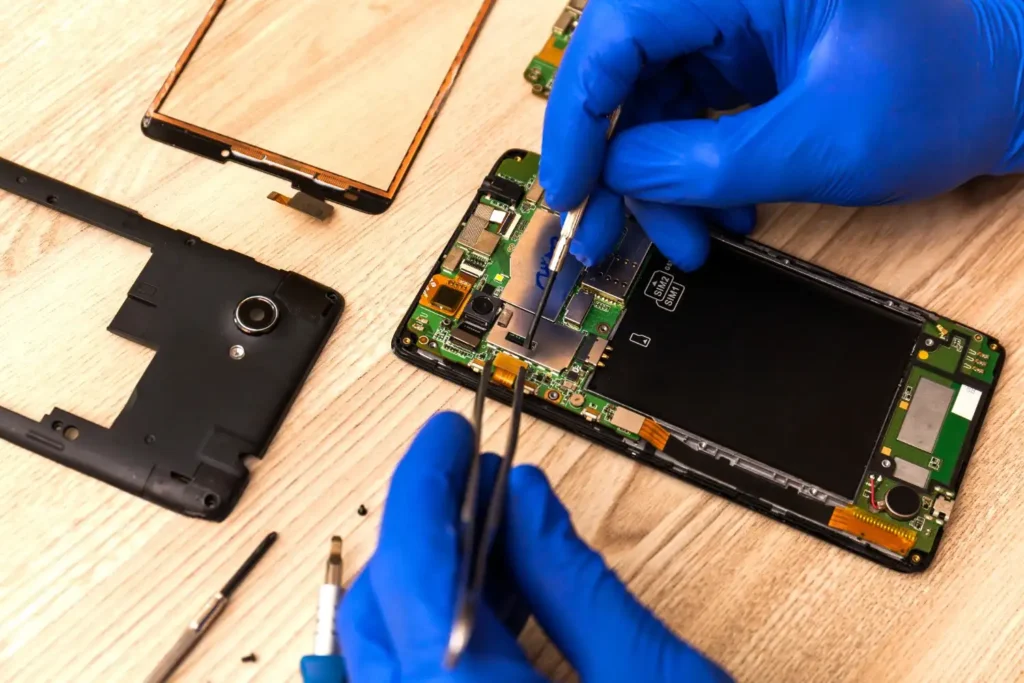
What Are the Real Risks of Replacing a Phone Battery?
There are risks, but most come from rushing or doing it wrong, not the replacement itself.
The Ones That Actually Matter
- Swollen battery can push against the screen and damage it from inside
- Too much heat while opening the phone can ruin the display or battery
If the battery looks swollen, don’t try DIY. That’s where things go bad quickly.
Where People Mess Up
- Not disconnecting the battery first
- Using metal tools carelessly
- Rushing through the repair
There’s also a small static risk, but that’s easy to avoid with basic care.
What Should You Do After Replacing Your Phone Battery?
A new battery helps, but how you use it after that matters just as much. I’ve seen people go for a phone battery replacement, and within a year they’re dealing with the same issue again.
Let It Settle (Quick Calibration)
You don’t need to overcomplicate it. Use the phone normally for a few days. One or two full charge cycles is enough for the system to adjust. After that, battery readings usually settle on their own.
Charging Habits That Actually Help
This is where most people slip.
- Keep the charge between roughly 20% and 80%
- Don’t leave it plugged in overnight all the time
- Use a decent charger
- Avoid heat as much as possible
Devices from Apple Inc. and Google try to manage charging, but habits still matter.
The Mistake People Repeat
They fix the battery… then go back to the same routine. Charging to 100% every night, constant fast charging, heat exposure, all of it slowly wears the battery down again. Whether it’s an iPhone or an Android battery replacement, the outcome is the same if habits don’t change.
One Simple Way to Think About It
A battery calibration phone process helps at the start, but long-term performance comes down to daily usage. Do it right, and you won’t need another replacement anytime soon.
Can You Avoid Battery Replacement: And What Happens If You Don’t?
If battery health is still above ~75–80%, you can delay it. Not fix it, just delay it. A few small changes help.
What Actually Helps
- Lower brightness (biggest drain)
- Turn off unnecessary background apps
- Use battery saver when needed
- Avoid 5G on weak signals
Nothing complicated. Just basic control.
Habits That Make It Worse
This is where most people slip:
- Charging to 100% every night
- Letting it drop to 0%
- Using cheap chargers
- Constant fast charging
Do this long enough, and battery health drops faster than expected.
What Happens If You Ignore It
It catches up. Performance drops. Apps slow down. Random shutdowns start. In some cases, a battery swelling phone can even affect internal parts. Seen it happen more than once.
The Reality
You can delay it, not avoid it. At some point, you’ll need a phone battery replacement anyway. Do it early, it’s cheaper. Wait too long, and problems stack up.
Where Should You Get Your Phone Battery Replaced?
This matters more than people think. A good repair fixes it. A bad one creates new problems. If you’re searching for a battery replacement near me, don’t just go for the cheapest option.
How to Choose a Reliable Repair Service
Keep it simple:
- Check recent reviews (focus on battery repairs)
- Ask what battery they use
- Make sure there’s a warranty (30–90 days)
- Confirm repair is done in-house
Shops that answer clearly are usually safe. If they avoid basic questions, walk away. For iPhones, going through Apple Inc. or an authorized provider is the safest option. For Android, a well-rated local shop usually does the job. If you want something reliable, look for the best battery replacement service, not just the cheapest.
Red Flags to Watch
- Can’t explain the battery they use
- No written warranty
- Prices that seem too low
- Asking for full payment upfront
- No visible repair setup
Seen it happen, cheap fixes often lead to bigger repairs later.
Simple Rule
Pay once for a proper repair. Cheaper upfront usually means paying again later.
Real Insight + One Example
Cheap fixes usually cost more later. Seen people try a cheap battery or rush DIY and end up paying double after damage. Also, not every issue is the battery, sometimes it’s just software. Quick check first saves money.
Final Thoughts: Make the Smarter Decision
Most people swap their phone too soon.Usually, it’s the battery. Not the phone. A simple phone battery replacement can sort it without spending hundreds. It’s a straightforward call. If the phone still runs fine and it’s just the battery, fix it. If it’s slow, outdated, or already has issues, then yes, look at upgrading. Where you get it done matters. Official repair for expensive phones. A decent local shop for most. DIY if you actually know what you’re doing. At the end of the day, it comes down to this: fix what still works.
Do it right and you get more time out of it without overspending. Ignore it, or mess it up, and you’ll pay for it later.