



Your phone showed 34%. You slipped it into your pocket. Seven minutes later, you pulled it out, and the screen was black. Completely dead, with no warning and a low-battery alert.
It sounds familiar. Three months ago, a customer walked into Fone World with an iPhone 13 she was convinced had a software problem. She had reset it twice, reinstalled her apps, and even watched three YouTube tutorials. Nothing changed. We ran a quick diagnostic and found the answer in under two minutes. Her battery health was sitting at 71%. That was the entire problem.
Here is what most people get wrong. Phone battery problems rarely announce themselves clearly. They show up disguised as software glitches, slow performance, random restarts, and overheating. By the time most users realize what is actually happening, the battery has been failing for months.
This guide covers every warning sign you need to know, how to test your phone battery health yourself for free, and exactly when battery replacement is worth it versus when buying a new phone makes more sense.
What You Will Learn in This Guide
The signs a phone battery needs replacement are more specific than most blogs admit. Here is what this guide covers that most competitors skip entirely.
You will discover:
- The 7 warning signs are ranked from mild to critical
- How to check battery health on iPhone and Android in under two minutes
- Why does your phone slow down when the battery gets old, and how replacement fixes it
- What a swollen battery means and why it is a safety issue, not just an inconvenience
- An honest cost breakdown of battery replacement across service types in 2025
- The clear answer to whether you should replace the battery or buy a new phone
This is built from hands-on diagnostics across hundreds of iPhone, Samsung Galaxy, and Google Pixel devices at Fone World, combined with real customer outcomes and current pricing from multiple repair sources.
What Are the First Signs Your Phone Battery Needs Replacement?
The earliest warning is almost always battery draining fast. Not a little faster than usual. Noticeably, frustratingly faster.
According to Battery University, a lithium-ion battery loses roughly 20% of its original capacity after 300 to 500 full charge cycles. For an average user, that is 12 to 18 months of normal daily use. After that point, the decline accelerates.
Here are the 7 signs ranked from mild to critical:
- Battery draining fast, even with light use
- The phone is getting warm without heavy apps running
- Battery percentage jumping or dropping suddenly
- The phone shuts down randomly at 20% to 40% charge
- The phone is running slower than it used to
- Phone battery not charging properly or stopping at a certain percentage
- Battery swelling is causing the back or screen to lift
If you recognize two or more of these, your battery is almost certainly the problem, not your apps, not your charger, and not your network.
Why Battery Degradation Happens Gradually and Then Suddenly
Lithium-ion battery degradation is not linear. A phone battery might hold up reasonably well for the first 18 months, then drop sharply in the following six months. Users often describe it as their phone “suddenly getting worse,” but the damage was quietly building the whole time.
How Many Charge Cycles Does a Phone Battery Last?
Most manufacturers design batteries to retain 80% capacity at 500 full charge cycles. Heavy users who charge twice daily can hit that number in under a year. Once you cross 500 cycles, performance drops noticeably with each passing month.
Why Does My Phone Battery Drain So Fast All of a Sudden?
This is the most common complaint we hear. And honestly, it is also the most misdiagnosed one. There are two causes for sudden battery drain: software and hardware. Most people blame apps. Most of the time, the battery itself is the real problem.
Software drain looks like this:
- Drain spikes right after an update
- One specific app shows excessive usage in your battery settings
- The problem resolves itself within a week
Hardware battery failure looks like this:
- Drain is consistent across all types of use
- No single app is responsible
- The problem has been getting worse over weeks or months
- Battery health is below 80%
How to Run a Battery Drain Diagnostic on iPhone and Android
On iPhone: Go to Settings, Battery, and check Battery Usage by App. If no single app is dominant and drain is still severe, the issue is hardware.
On Android: Go to Settings, Battery, Battery Usage. Download AccuBattery for a more detailed breakdown, including estimated capacity loss versus original capacity.
AccuBattery is genuinely the most useful free tool for Android battery health diagnosis. It tracks real capacity over time, not just the percentage the system reports.

How Do I Check My Phone Battery Health on iPhone and Android?
This is the most important diagnostic step, and it takes about 90 seconds.
On iPhone: Settings → Battery → Battery Health and Charging → Check the Maximum Capacity percentage
On Samsung Galaxy: Open the Samsung Members app → Support → Phone Diagnostics → Battery Status
On Google Pixel: Settings → Battery → Battery usage
On Android (any device): Download AccuBattery and charge your phone to 100% overnight. The app estimates your real remaining capacity versus your original mAh rating.
Battery Health % | Real-World Meaning |
100% to 90% | Excellent, no action needed |
89% to 80% | Good, monitor over the next few months |
79% to 70% | Noticeable impact on daily use, plan replacement |
Below 70% | Significant performance issues, replace now |
Below 60% | Critical: the phone is unreliable for daily use |
Apple recommends considering battery replacement when the health drops below 80%. In practice, many users start feeling the impact closer to 75%.
Why Does My Phone Turn Off by Itself Even With Battery Remaining?
This symptom confuses people more than any other. Your phone shows 28% charge. You are doing nothing demanding. It shuts off completely.
Here is what is actually happening.
As a lithium-ion battery degrades, its internal resistance increases. Under load, even a normal load like a phone call or loading a webpage, the voltage drops suddenly. The phone’s protection circuit reads this as a critical low voltage and triggers an emergency shutdown to prevent damage.
The battery percentage displayed is effectively a lie at this point. The software is reading a battery that can no longer accurately report its own remaining capacity.
Can Battery Calibration Fix Random Shutdowns?
No. And this is one of the most persistent myths in Phone repair.
Battery calibration recalibrates the percentage display. It does not restore lost capacity. It does not fix degraded cells. Draining your phone to zero and recharging it fully might make the percentage display slightly more accurate for a week, but it does not fix the underlying hardware problem.
This is specifically a myth from the NiMH battery era. Lithium-ion batteries are a different chemistry entirely, and deliberately draining them to zero actually accelerates degradation.
Is My Phone Overheating a Sign of Bad Battery?
Yes. Consistently, in our experience at Fone World, phone overheating during light tasks is one of the strongest predictors of a failing battery.
Here is the simple explanation. A degraded battery has higher internal resistance. Higher resistance means more energy is lost as heat during charge and discharge. Your phone works harder to deliver the same power, and that extra work shows up as heat.
Normal warmth during heavy gaming or video streaming is expected. What is not normal:
- The phone is getting warm while you are just texting
- The back of the phone is hot to the touch while charging overnight
- Warmth that does not go away after closing all apps
Temperature Range | What It Means |
Slightly warm during gaming | Normal |
Warm during light browsing | Worth monitoring |
Hot during simple tasks | Battery likely degraded |
Very hot with no activity | Bring in for diagnostics |
Extreme heat or smell | Safety risk: stop using it immediately |
Apple specifies that iPhones should be used between 0°C and 35°C. Consistent exposure above 35°C causes permanent capacity loss, not just temporary performance issues.
What Does a Swollen Phone Battery Look Like and What Should You Do?
A swollen battery is the one symptom that is never just inconvenient. It is a safety issue.
You will notice it as:
- The back cover of your phone is lifting or feeling uneven
- The screen is separating slightly from the frame
- Your phone is rocking on a flat surface when it used to sit flat
- Any visible bulge on the back panel
What to do immediately:
- Stop charging the phone
- Do not apply pressure to the swollen area
- Keep it away from flammable materials
- Do not attempt to puncture or open the battery yourself
- Bring it to a professional repair shop the same day
A customer came to Fone World last year with an iPhone 12 that had been running with a visibly swollen battery for three weeks. He thought the case was just warped. The battery had expanded enough to push the display up by nearly two millimeters. We replaced it the same day with a grade-A replacement battery, and the phone has been working perfectly since.
Swollen battery gas buildup is a chemical process called outgassing. It is not immediately explosive in most cases, but the risk of thermal runaway increases significantly with physical pressure or heat. Do not ignore it.
Fone World handles swollen battery replacements with same-day service and proper safe disposal of the old battery at no extra charge.
Can a Dying Battery Slow Down My Phone?
Yes, this is confirmed and documented, not a theory.
In 2017, Apple confirmed that iOS intentionally reduces processor performance on iPhones with degraded batteries to prevent unexpected shutdowns. This is called performance management. It means your phone is deliberately throttled by its own software when the battery cannot reliably deliver peak power.
Android manufacturers, including Samsung, implement similar behavior, though less formally documented.
The real-world effect is significant. Apps take longer to open. The keyboard lags. Videos stutter slightly. Everything feels slower. And most users assume their phone is just old and needs replacing.
In reality, a battery replacement often restores full processing speed immediately.
How to Confirm CPU Throttling on Your Phone
Download CPU-Z on Android or use the Geekbench app on either platform. Run a benchmark and compare your score to the manufacturer’s published benchmark for your phone model. A score 20% or more below the expected value on a phone with low battery health is a strong indicator of throttling.
Should I Replace My Phone Battery or Buy a New Phone?
This is the question we get most often at Fone World, and the honest answer depends on four things.
Replace the battery if:
- Your phone is otherwise working well
- The device is under four years old
- It still receives software updates
- Battery replacement costs less than 30% of a comparable new phone
Consider a new phone if:
- Multiple hardware components are failing
- The phone no longer receives security updates
- Repair cost approaches 50% or more of a new device price
Factor | Replace Battery | Buy New Phone |
Phone age | Under 4 years | Over 5 years |
Other faults | None | Multiple issues |
Software updates | Still supported | End of support |
Repair cost vs new | Under 30% | Over 50% |
Battery health | 70% to 80% | Not the only issue |
A OnePlus 9 customer spent $55 on a battery replacement at Fone World eighteen months ago. Her phone is still her daily driver today. The alternative was a $600 new device. That is a $545 saving from one diagnostic appointment.
How Much Does Phone Battery Replacement Cost in 2025?
Here is honest pricing from multiple sources, not estimates.
Service Type | iPhone | Samsung Galaxy | Google Pixel |
Apple Authorized | $99 | N/A | N/A |
Samsung Authorized | N/A | $70 to $90 | N/A |
Independent Shop | $40 to $70 | $35 to $65 | $40 to $70 |
DIY Kit (iFixit) | $30 to $50 | $25 to $45 | $30 to $50 |
Fone World uses Grade-A replacement batteries tested for capacity accuracy, thermal performance, and cycle count compatibility. We offer same-day battery replacement for most iPhone, Samsung Galaxy, Google Pixel, and OnePlus models.
OEM Battery vs Third-Party Battery: The Honest Truth
OEM batteries are built to exact manufacturer specifications. They are the most reliable option. However, high-quality third-party batteries from reputable suppliers perform comparably for the vast majority of users in everyday conditions.
The risk is with low-quality third-party batteries. These often have inflated mAh ratings, poor thermal management, and inaccurate charge reporting. A cheap replacement that fails in 60 days costs more in the long run than a quality replacement done right the first time.
At Fone World, we have seen enough cheap battery failures from other shops to know exactly what to look for and what to avoid.
How Can I Make My Phone Battery Last Longer After Replacement?
Replacing the battery is step one. Protecting the new one is step two.
Daily habits that extend battery life:
- Keep charge between 20% and 80% when possible
- Enable Optimized Battery Charging on iPhone (Settings, Battery, Battery Health)
- Enable Adaptive Charging on Android if your device supports it
- Avoid leaving your phone in a hot car or direct sunlight
- Use the original charger or a certified alternative
Settings to adjust:
Setting | Battery Impact |
Always-on display | High drain |
5G Auto mode | Moderate drain |
High refresh rate (120Hz) | Moderate drain |
Background app refresh | Low to moderate drain |
Location services (always on) | Moderate drain |
The 20% to 80% charging habit is the single most impactful change for long-term battery health. Consistently charging to 100% and draining to near zero puts measurable extra stress on lithium-ion cells with every cycle.
The Sign You Have Already Seen Is Telling You Something
Your phone is dying at 34%. Your screen is dimming randomly. The back panel feels slightly raised. These are not mysteries. They are your battery telling you it needs attention.
Almost every battery replacement case we handle at Fone World could have been caught earlier. The customer who resets their phone four times before checking battery health. The one who buys a new charger when the battery was the problem all along.
By 2027, solid-state batteries in consumer smartphones will likely change replacement timelines significantly. Until then, lithium-ion batteries degrade on a predictable schedule, and knowing the signs means you stay ahead of the problem instead of chasing it.
If you recognized two or more signs in this guide, bring your phone into Fone World for a free battery diagnostic. We will tell you exactly what is happening, what it will cost to fix, and whether replacement is genuinely worth it for your specific device. No pressure. Just a straight answer.
Here is the question worth sitting with. How many of these signs have you been dismissing as “just how phones are” when the fix might take less than an hour?
Frequently Asked Questions
How do I know if my phone battery needs replacing?
Watch for faster drain, random shutdowns, overheating during light use, or a swollen back panel. Check your battery health in Settings. Below 80% usually means replacement is worth considering, especially if you notice two or more symptoms together.
What does a bad phone battery look like physically?
A failing battery may cause your phone’s back to lift or feel uneven. The screen might separate slightly from the frame. If you notice any bulging or your phone rocks on a flat surface, bring it in immediately. That’s a swollen battery and needs same-day attention.
How long does a phone battery last before replacement?
Most batteries handle around 500 full charge cycles before dropping below 80% capacity. For average users that’s roughly two to three years. Heavy users who charge twice daily may see significant degradation within 12 to 18 months of purchase.
Can I replace my phone battery myself?
Technically yes, but it carries real risks. A wrong tool or a punctured battery cell can cause fire. Most people find professional replacement faster, safer, and often not much more expensive than a DIY kit when you factor in tools and time.
Does a swollen battery mean I need a new phone?
No. A swollen battery replacement is a straightforward repair in most cases. Stop using the phone immediately and bring it to a repair shop the same day. Fone World handles swollen battery replacements with same-day service for most models.
Why does my phone battery percentage jump around randomly?
Jumping or inaccurate percentages happen when battery cells can no longer accurately measure remaining capacity. It is a sign of significant degradation, not a software bug. A battery replacement resolves this completely in almost every case we have seen.
Is it worth replacing a phone battery in 2025?
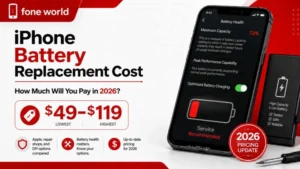
Almost always yes, if the phone is otherwise working well and under four years old. A battery replacement typically costs $40 to $70 and can give your phone 18 to 24 more months of reliable use compared to spending $600 or more on a new device.
Will replacing my battery make my phone faster?
Often yes. Both iOS and Android reduce processor speed when battery health is low to prevent shutdowns. A new battery removes this throttle and restores full performance. Many customers at Fone World describe their phone feeling like new after battery replacement.
Does fast charging ruin your battery?
Fast charging adds more heat per cycle, which does accelerate degradation slightly. However, with good thermal management, the impact is smaller than most people assume. The bigger damage comes from consistently charging to 100% and leaving it there overnight.
How long does a phone battery replacement take?
At Fone World, most battery replacements are completed within 30 to 60 minutes for common iPhone and Samsung Galaxy models. You can usually wait in the store. We test the new battery fully before returning your phone.
Can a bad battery cause my phone screen to flicker?
Yes. A battery that cannot maintain a stable voltage output causes screen flickering, especially under load. If your screen flickers and your battery health is low, the battery is the most likely cause, and replacement should fix both symptoms.
What happens if you ignore a swollen phone battery?
Continued use of a swollen battery increases the risk of further expansion, display damage, and, in rare cases, thermal events. The longer it is ignored, the more likely it is to damage surrounding components. Early replacement keeps repair costs low and keeps you safe.